All articles · 2026-09-18
Photo booth props: turning a drawing into something a cutter can follow
Props are cut from board or acrylic, so the file has to be closed paths with no thin necks. How to prepare artwork that survives the evening.
Props are cheerful things made by an unsentimental machine. A laser or a craft cutter takes your file, follows every closed path in it, and hands back exactly what you drew — including the parts you did not mean to draw, and the parts too thin to survive being picked up.

The blade follows paths, not pictures
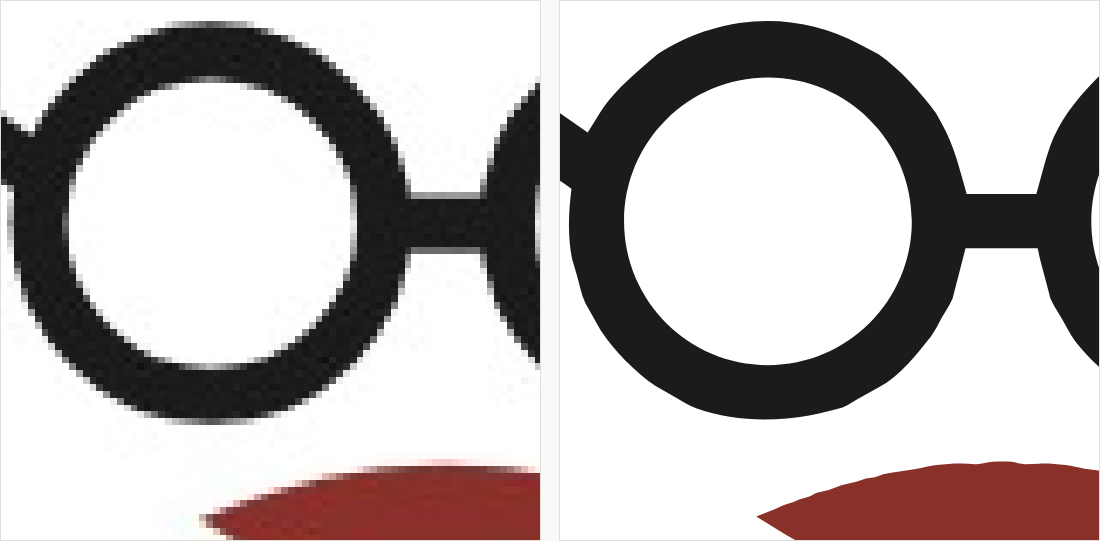
This is the whole reason a prop file has to be vector. A cutter has no way to interpret a photograph of a shape; it needs the shape. Tracing turns a picture into paths, and then two questions matter: is every path closed, and is every path one you actually want cut?
Thin necks are where props break
The arms of the glasses in the example are the classic failure. On screen they look fine. Cut from 3 mm board at 200 mm wide they are a few millimetres across, and the first person to grab them snaps one off. The fix is not a better file — it is a thicker neck. Before cutting, measure the narrowest part of your shape at the finished size and thicken anything under about 5 mm.
Strokes are not cuts
A stroked circle drawn in a design program has an invisible center line, and that is what a cutter follows — so a ring drawn as a 9-point stroke is cut as a single hairline circle, not as a ring. Outline every stroke before you export. In Curvora, the Outlines export style does this for you; in Illustrator or Inkscape it is a one-click operation, and forgetting it is the most common reason a first cut comes back wrong.
Practical prop rules
- Design at the size it will be cut, in millimetres — props are usually 150 to 300 mm across
- Nothing narrower than about 5 mm at final size, and wider if you are cutting card rather than acrylic
- Add a hole or a flat tab for the stick, and cut it rather than gluing the stick to a curve
- Export DXF or SVG, and ask your cutting shop which they prefer before you send twenty files
A vectorizer will happily give you a perfect path around a shape that cannot physically survive the evening. Cleaning the file and making the object strong enough are two different jobs, and only the first one is automatic.